
monday.com integration
Website feedback from your clients, as monday.com items
Clients report issues from the website itself. Each report becomes an item in the board and group you choose, with the details and the annotated screenshot in its first update.
- Authorise monday.com and pick a board
- One item per report, status synced both ways on paid plans
- Included in every plan, including Free
Free plan - No credit card - Set up in minutes
On your board
An item for every report, with the evidence attached
Each item is named after the report. Its first update holds what the client wrote, the page URL, the browser details and a link back to the full report, with the annotated screenshot attached.
- Item in the board and group you choose
- Annotated screenshot in the first update
- Page URL, browser, OS and screen size
- Link to the original report
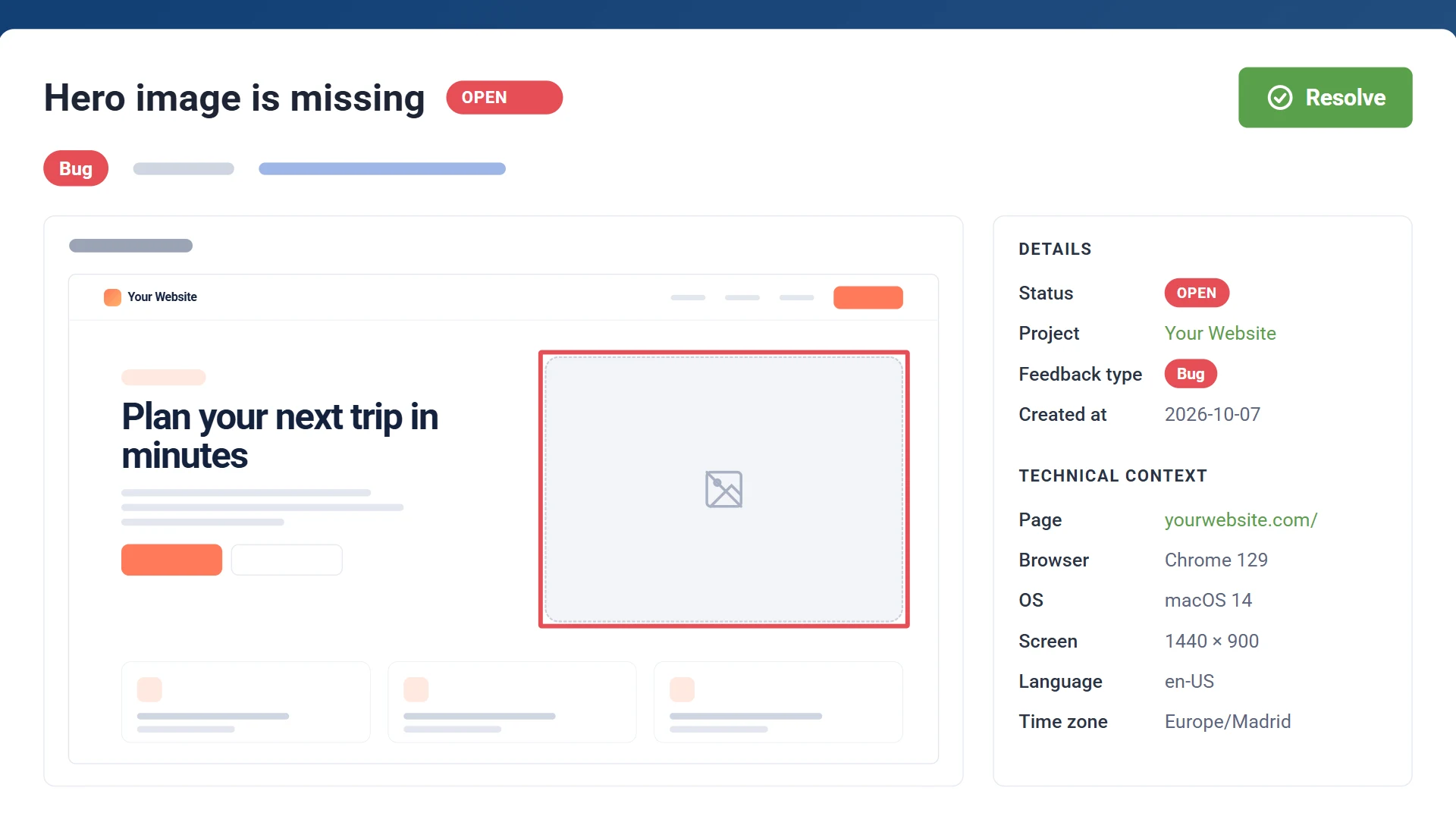
Two-way sync
Set it to Done and it's resolved here
When the item's Status column changes to a done label on monday.com, the report is marked resolved in GiveFeedback.io. Resolve a report here and the item's status is set to Done; reopen it and the status is cleared. Two-way sync is included in Pro and Company.

Feedback report
Resolvedmonday.com item
DoneHow it works
Add the script to your site
Paste one snippet into the <head>. A "Give Feedback" button appears for your clients.
Connect monday.com
Authorise GiveFeedback.io in monday.com, then pick the board and the group for new reports.
Reports become items
Every report your clients send is created as an item, with the screenshot in its first update.
monday.com integration questions
Is the monday.com integration free?
Yes. It's included in every plan, including the free plan: every report your clients send arrives in monday.com. Pro and Company also keep the status in sync both ways.
Which group do new items go to?
The one you choose when you connect. Each project can use its own board and group.
Which column does it update?
The board's status column (the one titled "Status"). Resolving a report sets its done label; reopening clears it.
Do my clients need a monday.com account?
No. Clients only use the feedback button on the website. Items are created on monday.com with your connected account.
Turn client feedback into monday.com items
Connect your first project for free. No credit card needed.
Free plan - No credit card - Set up in minutes