
Chrome extension
Report bugs on any of your sites, straight from Chrome
The GiveFeedback.io extension puts the feedback tab on your projects' sites for you and your team, even where the code isn't installed yet. Click it, mark up the screenshot and send it: the console log, the failed requests and your name go with it.
- No code on the site: only your team sees the tab
- Screenshots of the tab with no screen-sharing prompt
- Free, on every plan
Free plan - No credit card - Set up in minutes
The checkout button covers the footer
New- Page
- staging.client-shop.com/checkout
- Sent by
- Ana, from your team
- Screenshot
- The visible tab, marked up
- Console
- 2 errors, 1 failed request
No code on the site
Feedback on sites where you can't add code yet
Sign in to GiveFeedback.io and the extension knows your projects. On their sites it adds the feedback tab itself, so you can review a staging copy, a client's site before launch or a page you can't edit, with nothing installed. Only you and the people in your project see it; visitors never do.
- Your projects show up by themselves, your own and the ones shared with you
- Visitors see nothing
- Sites that already load the widget keep their button, which uses the extension
staging.client-shop.com
- Code on the site
- None
- You and your team
- See the tab, with the extension
- Visitors
- See nothing
Screenshots
A screenshot of the tab, with no screen-sharing prompt
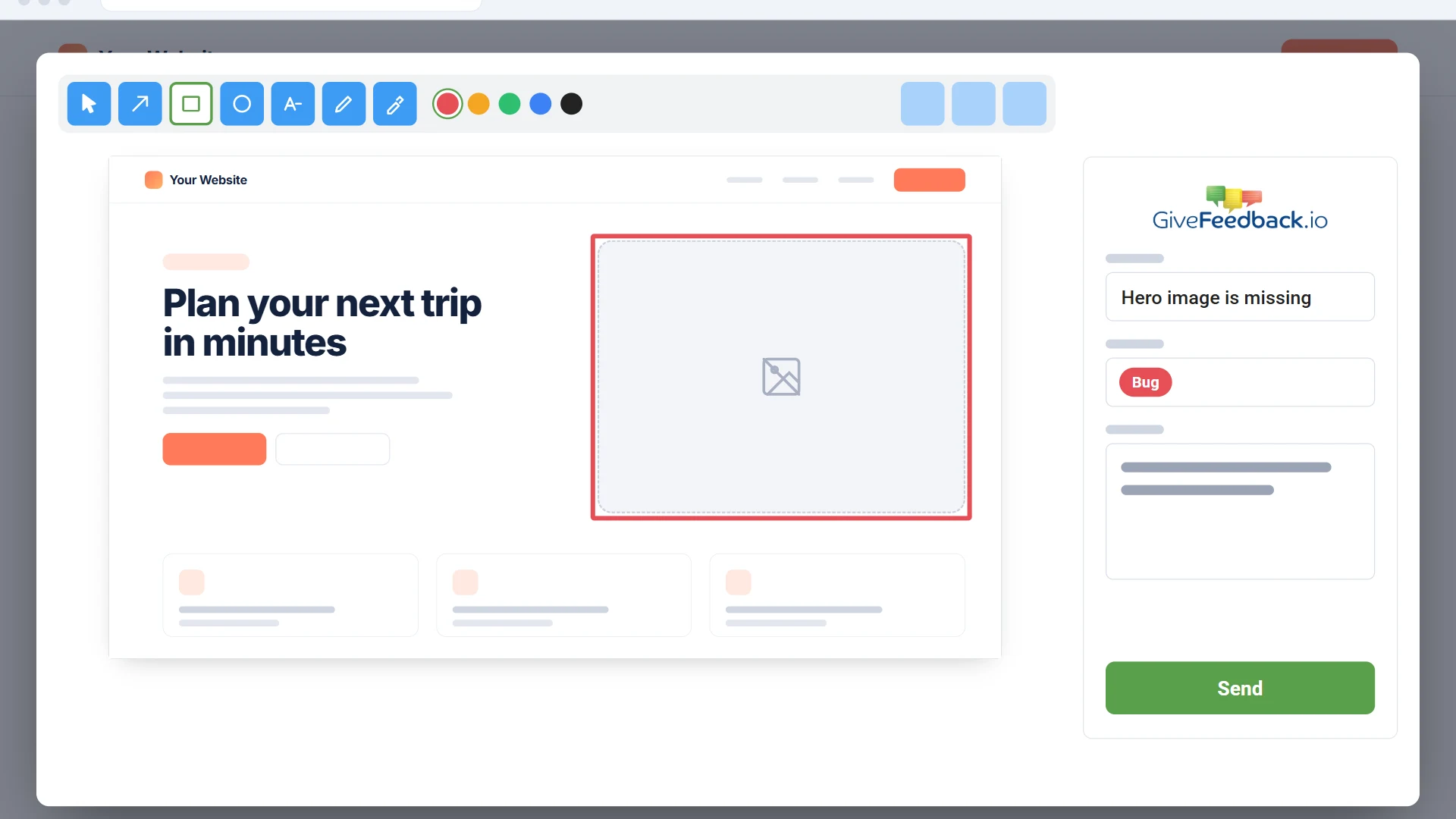
Without the extension, a desktop browser asks which screen to share before it takes a screenshot. With it, the screenshot of the tab you're on is taken at once, exactly as you see it, and opens in the editor so you can draw and write on it before sending.
- Exactly what you see in the tab
- Mark it up before you send it
- Keyboard shortcut: Alt+Shift+F
For developers
The console log from the moment the page loads
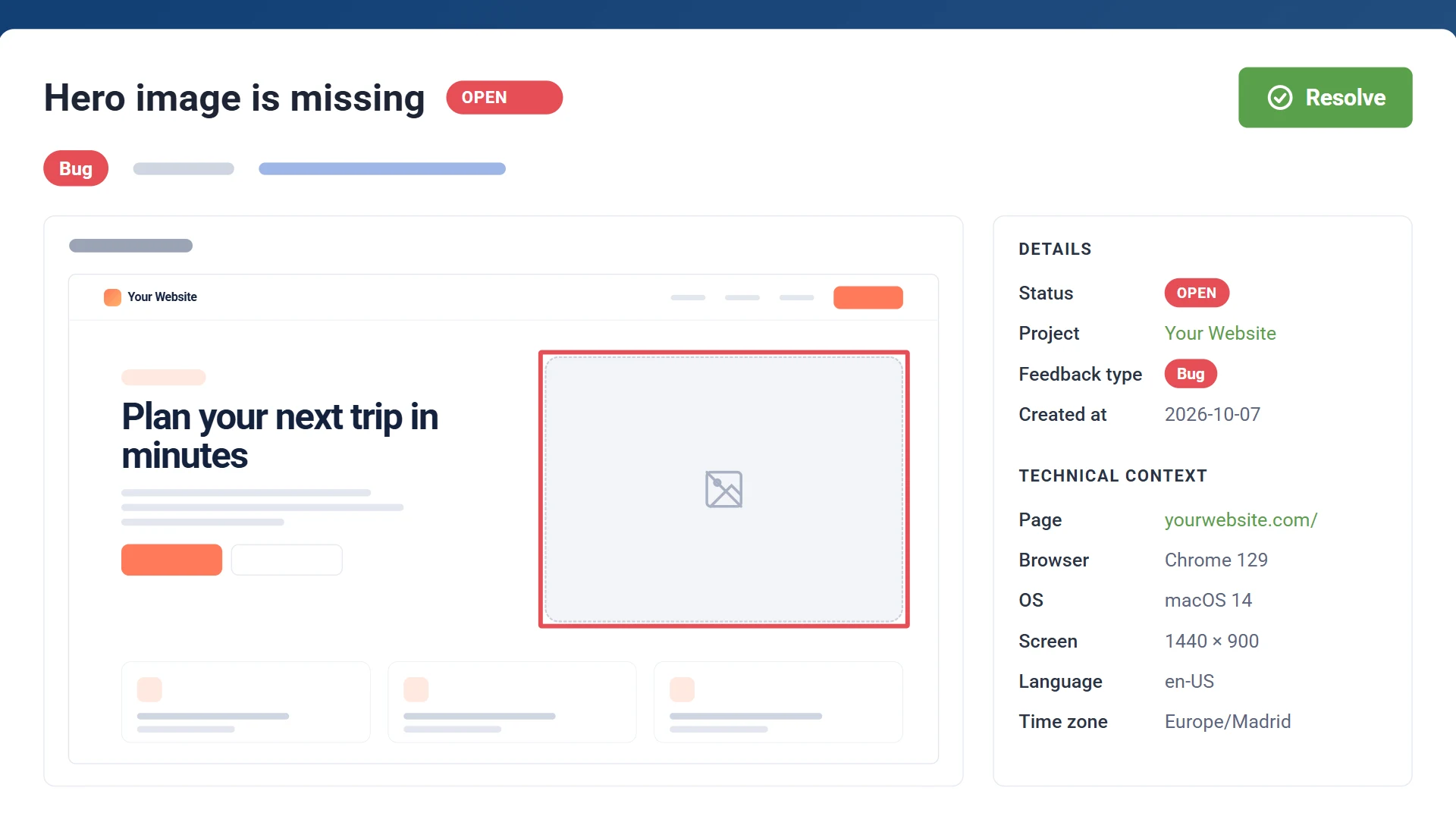
The extension records the page's console messages, errors and failed requests from the very start, not only once the widget has loaded, and sends them with the report together with the browser, the screen size and the page's address. Each report also says who on your team sent it.
- Errors from page load onwards
- Failed requests, without their query strings
- Who sent it, in your dashboard
No extra sign-in
It uses your GiveFeedback.io account
The extension has no sign-in of its own: it uses your session at app.givefeedback.io and picks up new projects as you add them. Testing a site that isn't yours? Add it from the extension with its project token, and your reports go to that project.
- Signing in once is enough
- New projects show up on their own
- Add someone else's site with its project token
This site: client-shop.com
- Project
- Client shop
- Account
- Signed in as Ana
- Shortcut
- Alt+Shift+F
How it works
Add it to Chrome
Install the extension from the Chrome Web Store. Once it's installed, it opens GiveFeedback.io.
Sign in to GiveFeedback.io
Sign in as usual, or create a free account and add your site. The extension reads your projects from there.
Open your site
Click the feedback tab or press Alt+Shift+F, mark up the screenshot and send it.
Chrome extension questions
Why does Chrome say it can "read and change all your data on all websites"?
That permission lets the extension take the screenshot of the tab without asking each time, and add the feedback tab to your projects' sites, whatever their address. It only runs on your projects' sites and on app.givefeedback.io. Everything it sends goes to GiveFeedback.io, and a report only when you send it.
Is it free?
Yes. The extension works on every plan, including Free. What a report includes and where it goes follow your project's plan and settings.
Do I still need the code on my site?
Not for you and your team: the extension adds the feedback tab itself. Add the code when you want your clients or visitors to send feedback too; the extension then uses the site's own button. On paid plans you can also show that button only to your team, in the project's settings.
Does it work in Edge, Brave or other browsers?
It works in Chrome and in browsers built on Chromium that install extensions from the Chrome Web Store, such as Edge and Brave. It doesn't work in Firefox or Safari.
What does the extension send, and to whom?
Only the reports you send: the screenshot, what you wrote, the page's console messages, errors and failed requests, its address and the browser details, and a code that says which account sent it. They go to GiveFeedback.io only, and from there to your project's dashboard and integration. Details in our privacy policy.
Give feedback on your sites from Chrome
Create your free account, add your site and install the extension. No credit card needed.
Free plan - No credit card - Set up in minutes