
Web agencies
Run client review rounds across many sites from one dashboard, and send every request to your project tool.
Learn more

Website feedback tool
Your clients annotate directly on your site. You get the screenshot, URL and browser data, ready to fix.
No credit card - Free plan - Cancel anytime
Why teams switch
Feedback by email
"The thing on the homepage looks weird on my laptop. Can you fix it?"
Feedback with GiveFeedback.io
"Headline is too small": pinned on the exact element
How it works
No browser extension for your clients and no training. If they can click a button, they can leave useful feedback.
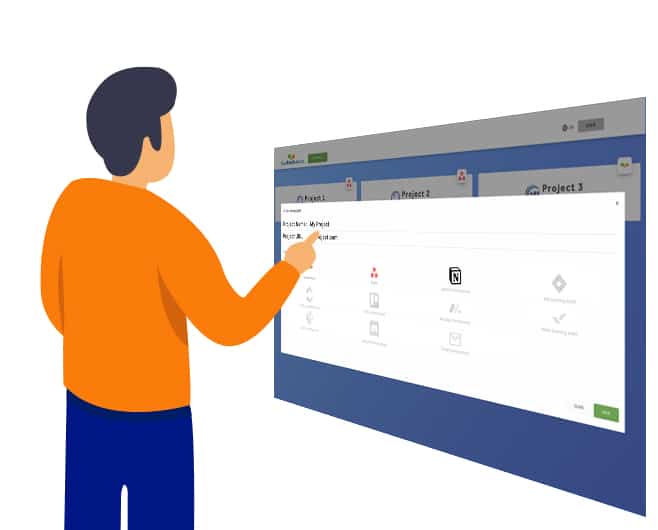
Sign up free with email or Google, then give your project a name and the website address.

Copy the snippet into your site's <head>. There are guides for WordPress, Shopify, Wix, Squarespace, PrestaShop and Google Tag Manager.

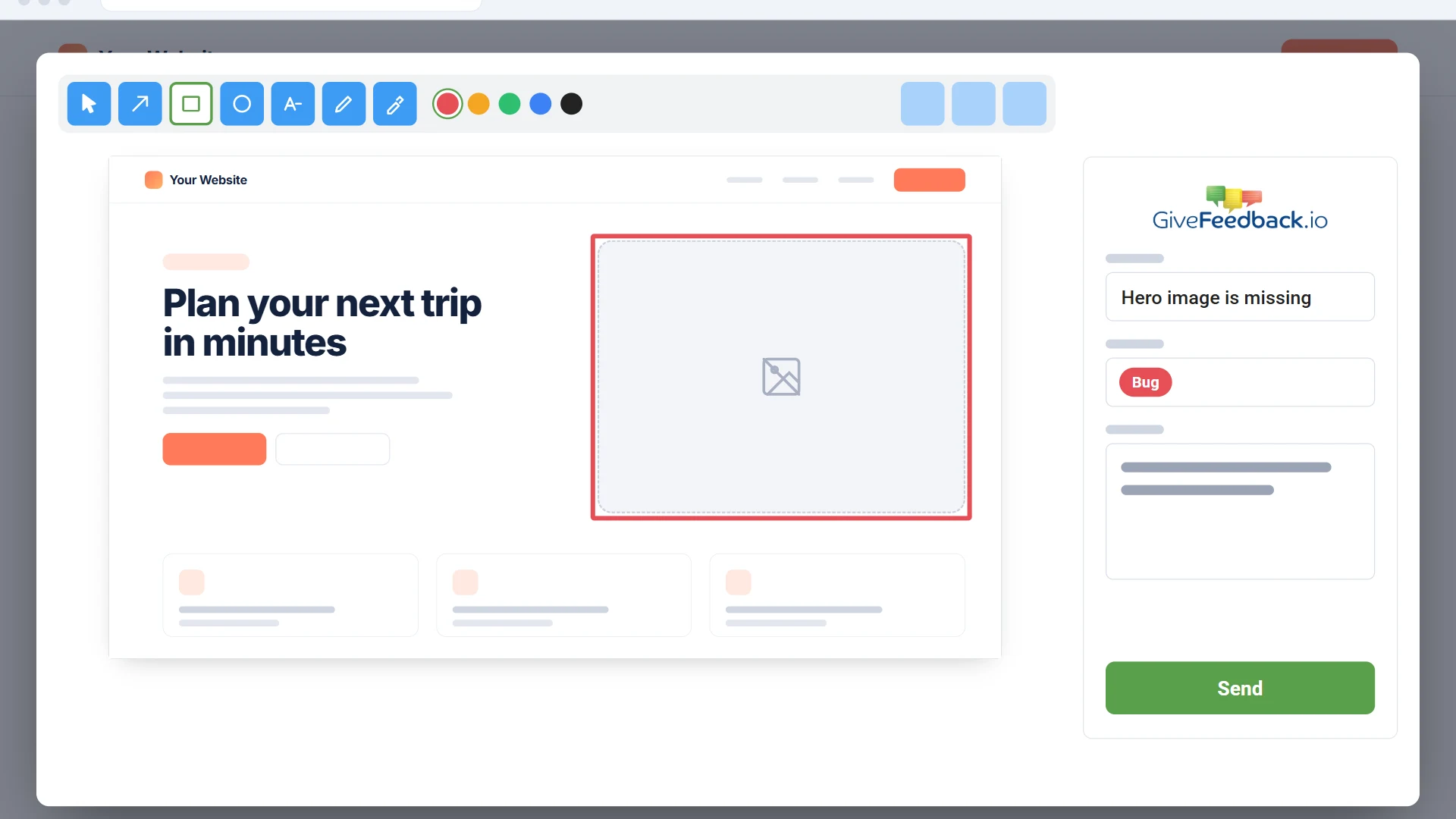
A "Give Feedback" button appears on the site. Clients take a screenshot, mark it up and describe the issue.

Every report arrives with its screenshot and browser data. Resolve it in the dashboard or send it to Jira, Trello, Asana, Slack and more.
Features
Screenshot markup
The widget captures the page the client is looking at and opens a markup editor. They draw on it, add a note and send. No more guessing what "the thing at the top" means.
Technical context
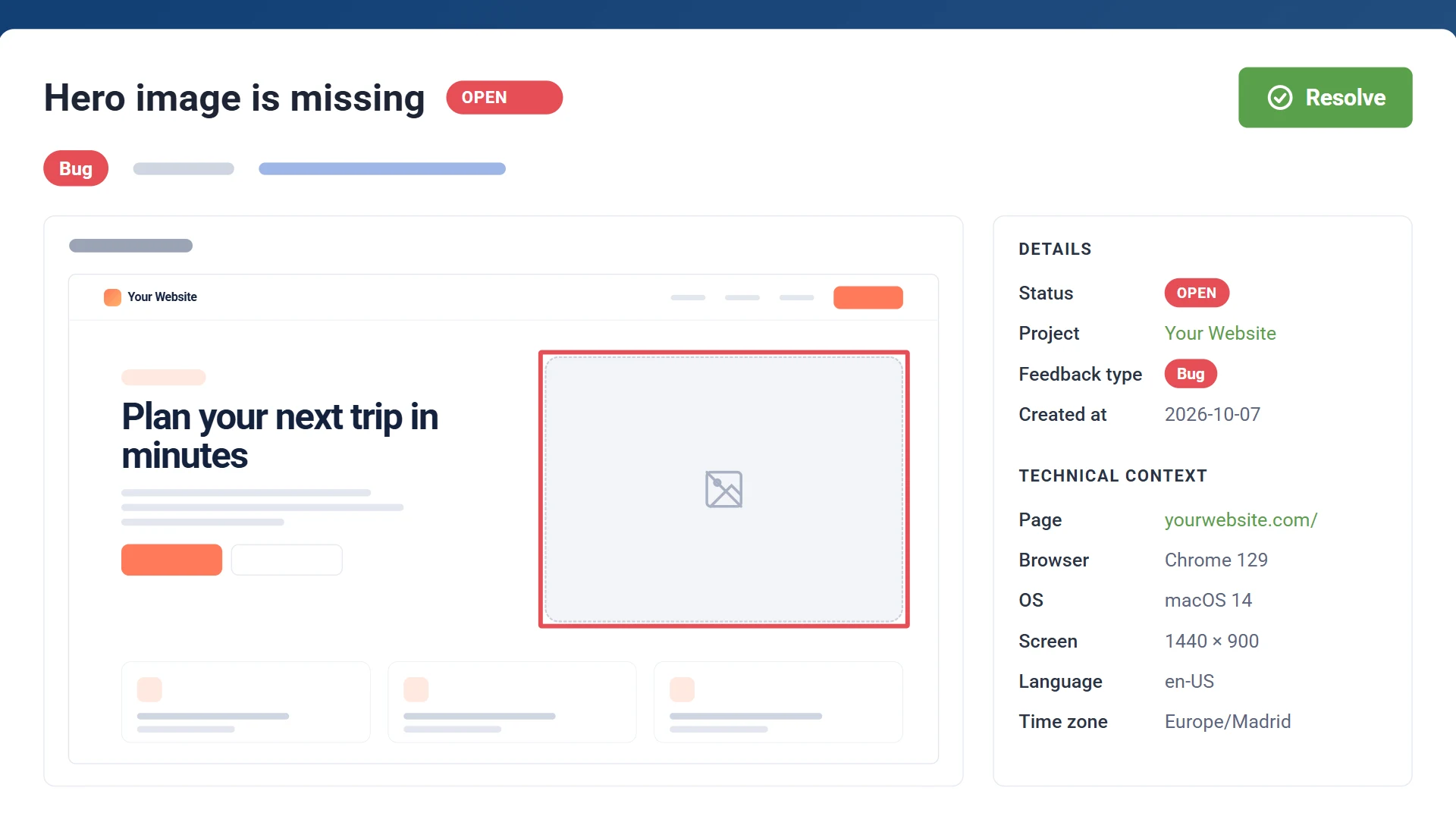
Developers can reproduce the issue straight away because every report includes the environment it happened in. Nobody has to ask "which browser are you using?" again.
Your workflow
Connect your team's tool once and every new report is created there, with the screenshot and the browser data attached, plus a link back to the original report.
Dashboard
See all your client sites in one dashboard with the open reports on each. Open a project to filter its reports by status and mark them open, resolved or archived. Invite teammates and clients by email to follow progress.

Integrations
Connect a project once and every report lands where your team already works. More integrations are on the way, and you can tell us which one you need next.
Who it's for
If your project ends with a round of "can you just change..." emails, GiveFeedback.io is for you.
Run client review rounds across many sites from one dashboard, and send every request to your project tool.
Learn more

Look organised in front of clients and get sign-off faster, on the free plan or for less than €20 a month.
Learn more

Get every bug and change request in one list with its context, then prioritise and delegate.
Learn more

Get the URL, browser, OS and screen size with every report, so you can reproduce it before you start.
Learn more
Pricing
The free plan covers 5 projects and 50 feedback reports, with no credit card and no time limit. Upgrade when you need more projects or want to remove the watermark.
Free
€0
For trying it on a project or two
Pro
€16.63/month
€199.50 billed yearly
For freelancers and small studios
Company
€83.29/month
€999.50 billed yearly
For agencies with many client sites
GiveFeedback.io is a visual feedback tool for websites. You add one script to a site and a "Give Feedback" button appears. Your clients or testers use it to take a screenshot, mark it up and describe the problem. You receive the report with the page URL and browser details, in your dashboard or as a task in Jira, Trello, Asana or another connected tool.
No. Anyone who visits the site can click the button and send feedback. On a computer, their browser asks for permission to capture the tab and they click "Share"; on a phone the screenshot is taken straight away.
Yes. On phones and tablets the screenshot opens full screen with touch-friendly tools, then the form with a preview. Each report shows the device's browser, operating system and screen size, so you can reproduce it at the same width.
Yes. It works on any website where you can add a script to the <head>. The app has step-by-step guides for plain HTML, WordPress, Shopify, Wix, Squarespace, PrestaShop and Google Tag Manager.
Notion, Asana, Jira, Trello, ClickUp, Slack, monday.com, Wrike, Discord, Email and Custom API (your own software), on every plan. On paid plans, resolving a report in Jira, Trello, ClickUp, Asana, monday.com, Wrike, Slack, Discord or your own software also resolves it in GiveFeedback.io, and the other way round. Developers can also connect Claude Code or another AI assistant to read a project's reports and resolve them once fixed. You can also manage everything from the GiveFeedback.io dashboard without any integration.
Yes, with no credit card: up to 5 projects, 50 feedback reports (plus 25 for each friend you invite who starts using it) and 5 team members, with all integrations included. Pro costs €19.95 a month, or €199.50 a year (two months free); Company costs €99.95 a month, or €999.50 a year. See the pricing page for details.
Screenshots are stored in the EU, on servers in Germany. You can download your data or close your account at any time from your profile in the app, and closing it deletes your projects, feedback and screenshots.
Add GiveFeedback.io to the site you're reviewing next and send your client the link. You can start on the free plan.
Free plan - No credit card - Set up in minutes