
Claude (MCP)
Let Claude Code fix the bugs your clients report
GiveFeedback.io is an MCP server. Connect Claude Code to your projects and it can list the reports your clients send, read one in full, with the annotated screenshot and the console log, fix the cause in your code and mark the report resolved.
- One command to connect, one token per person
- Reads the screenshot, the page, the browser and the console log
- Included in every plan, including Free
Free plan - No credit card - Set up in minutes
claude mcp add --transport http \
  givefeedback https://app.givefeedback.io/mcp \
  --header "Authorization: Bearer gfmcp_..."
What Claude reads
The whole report, not just the words
Claude reads a report the way your developer would: what the client wrote, the page it was sent from, the browser, operating system and screen size, the log of console messages, errors and failed requests, and the annotated screenshot as an image. It starts from the evidence, not from a one-line description.
- The annotated screenshot, as an image
- Console messages, errors and failed requests
- Page URL, browser, OS and screen size
- Every connected project, newest reports first
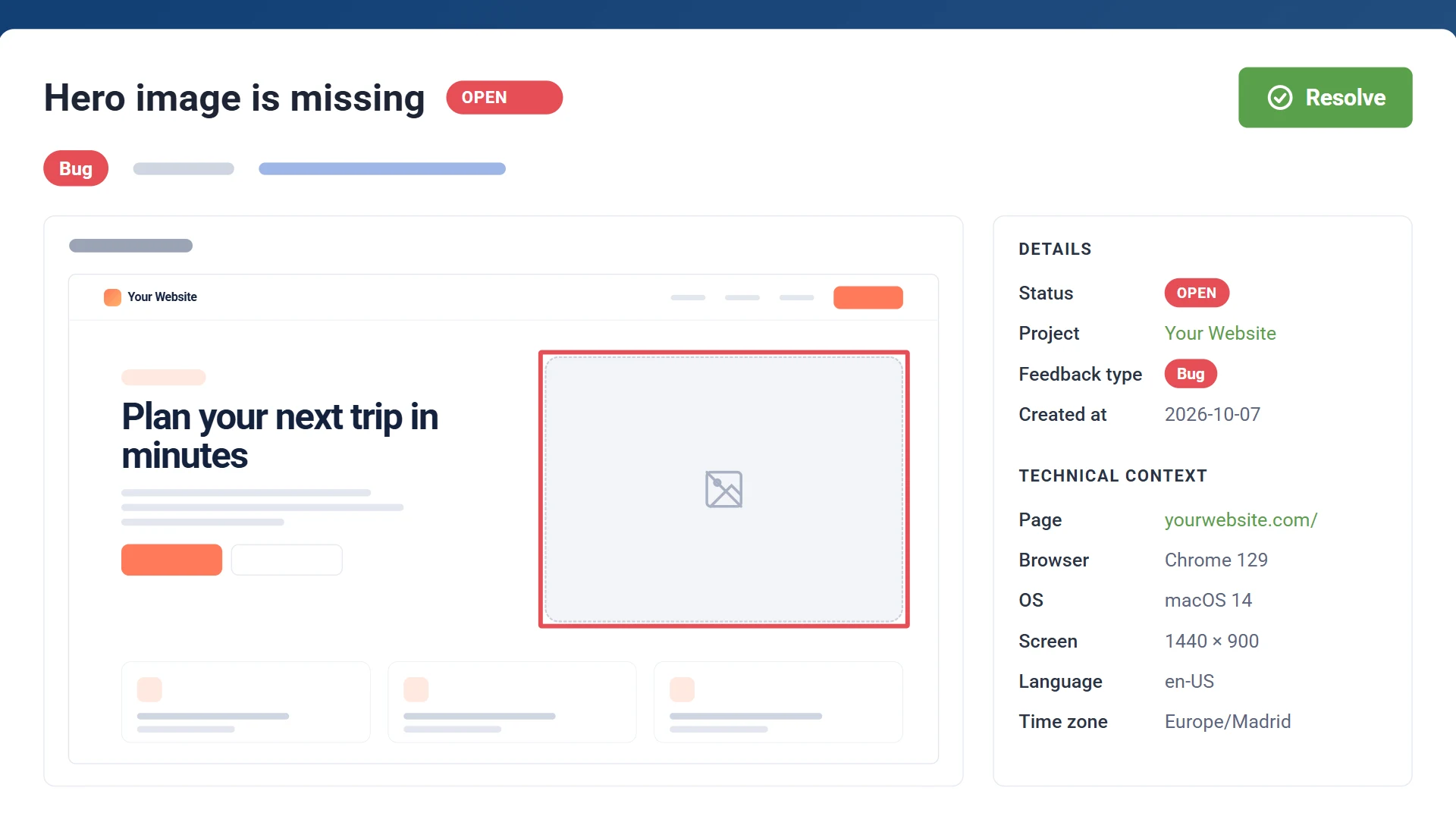
In Claude Code
Fix it, then resolve it
Ask Claude for the open reports, or start from one with the fix_feedback prompt and the report's number. Claude reads the report, finds the cause in your code, fixes it and asks you before marking the report resolved. Resolving it from Claude works like the dashboard: on paid plans the project's integration follows, so the Jira issue or the Trello card is done too.
- Four tools: list projects, list reports, read one, change its status
- A ready-made prompt to fix one report
- Asks before it resolves anything
list_projects
  your projects and their open reports
list_feedback
  newest first, by project, status or words
get_feedback
  one report: screenshot, page, browser, console
update_feedback_status
  open, resolved or archived

/mcp__givefeedback__fix_feedback 345
Claude Code, Cursor, VS Code
Your projects, and only yours
A token reaches the project you create it in and any other of your own projects you tick, such as a client site and its staging copy; with several, Claude gets their names and addresses and uses the one whose site it is working on. It never reaches anyone else's projects. Claude Code takes the command above; Cursor, VS Code and other tools that connect to MCP servers with a token take the same in their settings.
- One token per person or computer, shown once
- Revoke it in the project and it stops at once
- Only your own projects, never anyone else's
- A report is treated as what a visitor wrote, never as instructions
{
  "mcpServers": {
    "givefeedback": {
      "type": "http",
      "url": "https://app.givefeedback.io/mcp",
      "headers": {
        "Authorization": "Bearer gfmcp_..."
      }
    }
  }
}
How it works
Connect Claude
In your project's Integrations tab, choose Connect Claude and tick any other of your projects it should reach.
Paste the command
Run the command it shows (once, with your token) in your project folder. Claude Code adds GiveFeedback.io as an MCP server.
Ask Claude
Ask for the open feedback and to fix the first bug, or run the fix_feedback prompt with a report's number.
Claude and MCP questions
What is an MCP server?
MCP (the Model Context Protocol) is an open standard that lets AI assistants use tools from other services. GiveFeedback.io's MCP server gives Claude four tools: list your projects, list their feedback, read one report in full and change its status.
Is connecting Claude included in the free plan?
Yes, in every plan. On paid plans, a report Claude resolves is also marked done in the project's integration (a Jira issue, a Trello card...), as when you resolve it in the dashboard.
Does it replace the project's integration?
No. It works alongside it: reports still reach Jira, Slack, your email or your own software, and Claude reads them from GiveFeedback.io.
Which tools can connect?
Claude Code, and other tools that connect to MCP servers over HTTP with a token in a header, such as Cursor and VS Code. The connectors in claude.ai and the Claude desktop app sign in a different way (OAuth), which isn't available yet.
Can Claude see other people's projects?
No. A token only reaches the projects chosen for it, and only while they're yours: hand a project over or delete it and the token no longer reaches it. Only a project's owner can connect Claude to it.
Could a report trick Claude into doing something else?
Anyone visiting a site can send it feedback, so Claude is told that a report's title, description and console log are what a visitor sent: something to investigate, never instructions to follow. The description reaches Claude in a block of its own, like the console log.
Connect Claude to your client feedback
Create your first project for free. No credit card needed.
Free plan - No credit card - Set up in minutes